Max Addons SVG Animation element for Bricks Builder allows you to add animated SVG graphics to your website using Bricks Builder. With this element, you can create eye-catching animated illustrations, icons, logos, drawings, and line animations without writing any custom code.
Getting Started#
Before using the SVG Animation Element, make sure the following tools are installed and activated on your WordPress website:
Once both tools are active, you’re ready to start using the SVG Animation Element on your page.
How to Add the SVG Animation Element#
Follow these steps to add the SVG Animation Element to your page:
- Open an existing page in Bricks Builder or create a new page.
- Click Edit with Bricks to launch the builder.
- Inside the editor, click the element search bar.
- Type SVG Animation in the search field.
- Drag and drop the SVG Animation Element onto your page.
- Make sure you see the MAX label in the top-left corner of the element.
Once added, you’ll see two main tabs:
- Content Tab
- Style Tab
Content Tab#
Content Tab allows you to upload and configure your SVG animation. Let’s explore each option available inside this tab.
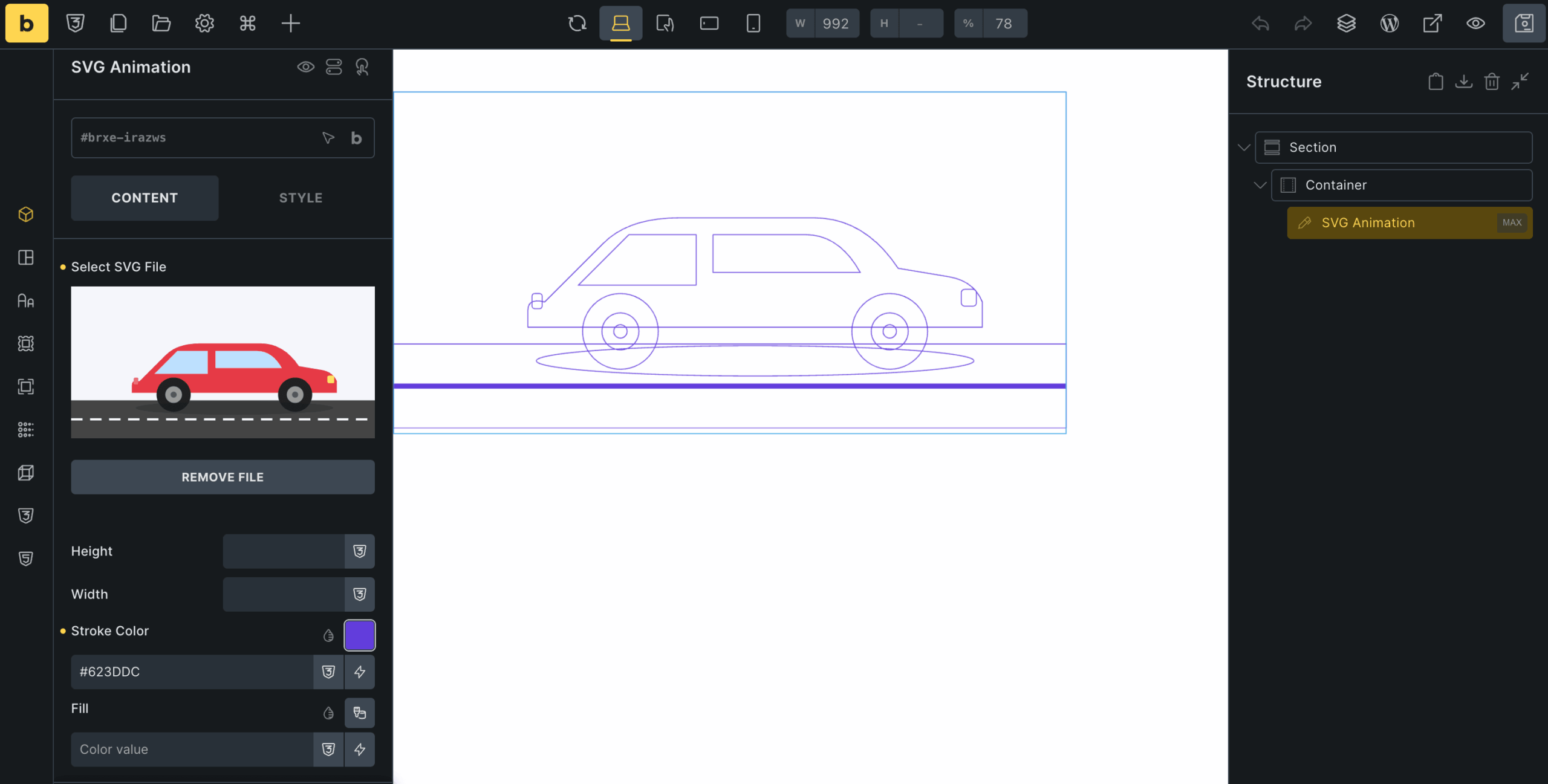
- Select SVG File: The Select SVG File option allows you to upload or choose the SVG file you want to animate.
- Height: The Height option controls the vertical size of the SVG animation.
- Width: The Width option controls the SVG animation's horizontal size.
- Stroke Color: The Stroke Color option lets you change the outline color of SVG paths.
- Fill: The Fill option lets you apply color to SVG shapes.
Settings
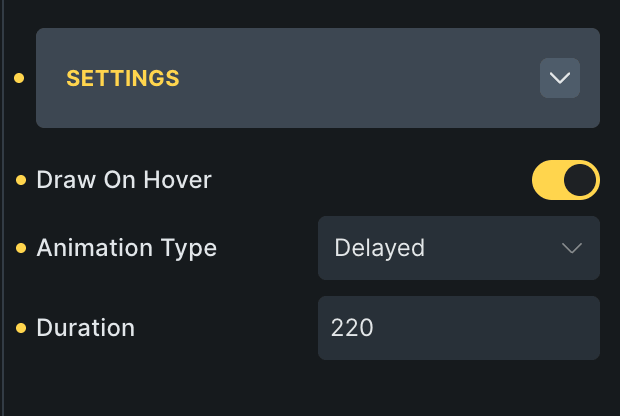
Settings sub-section contains animation-related controls that define how the SVG animation behaves on your website.
- Draw on Hover: The Draw on Hover option starts the SVG animation only when users hover over the element.
- Animation Type: This option controls how SVG paths animate. Available animation types include: Sync, Delayed, One by One & Scenario Sync.
- Duration: The Duration option controls the speed of the SVG animation.
Wrapping Up!#
SVG Animation Element for Bricks Builder in Max Addons makes it easy to create attractive, interactive SVG animations directly in the builder.
With features like custom SVG upload, stroke and fill controls, hover-triggered animations, multiple animation types, and adjustable duration settings, you can build visually engaging website sections without any coding.