Build Smarter Forms with Advanced Form Fields for Bricks Builder
Take your Bricks Builder forms beyond the basics with Max Addons Form Fields. Add interactive, user-friendly fields that help you collect accurate information, improve user experience, and build more dynamic forms without writing a single line of code.
From international phone inputs and digital signatures to price calculators and multi-step forms, Max Addons gives you everything you need to create professional forms for any website.
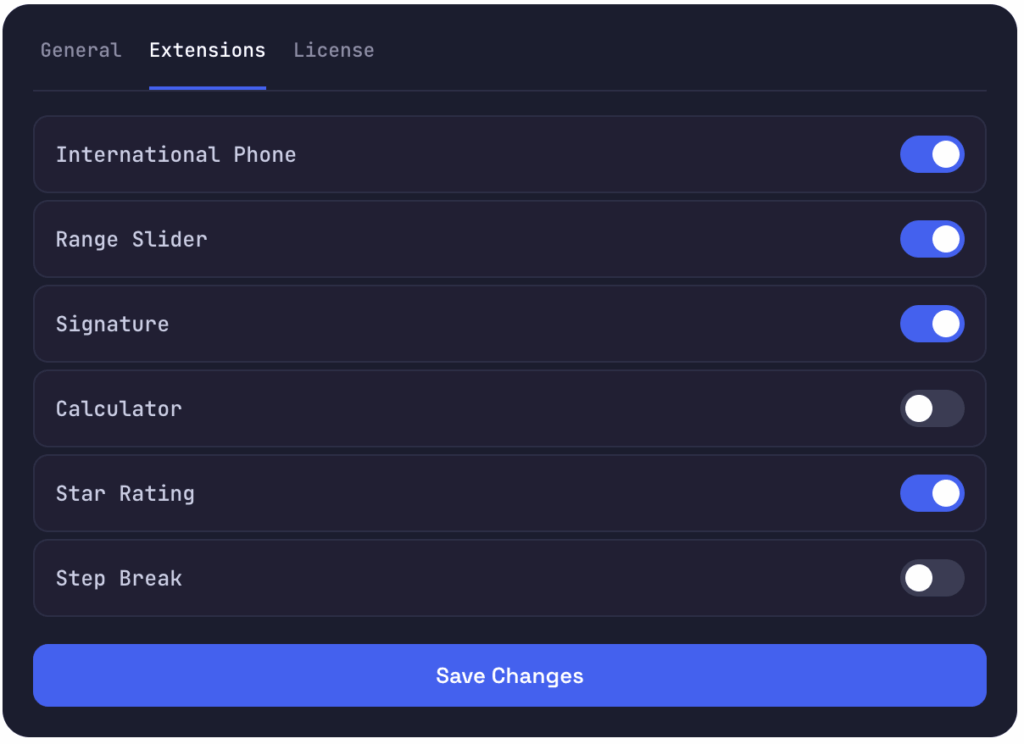
Enable the Form Fields in Four Clicks
Every field is a toggle. Switch on only what a project needs.
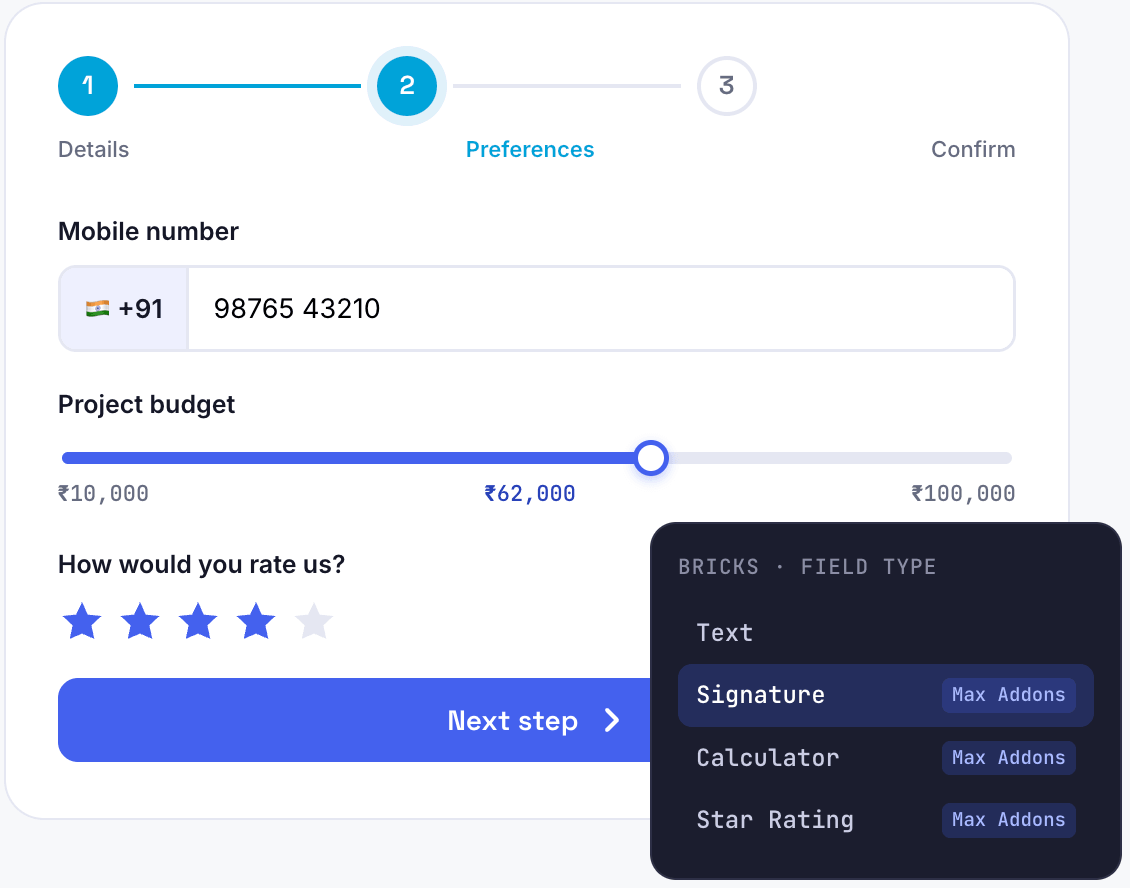
Forms that Feel Modern and Interactive
From calculating prices in real time to capturing digital signatures and breaking lengthy forms into multiple steps, Max Addons gives you everything you need to build forms that users actually enjoy filling out.
Accurate Phone Numbers, Every Time
Stop worrying about incorrect country codes and inconsistent phone number formats.
The International Phone Field automatically displays country flags and dialing codes, and it validates phone numbers, ensuring every submission is accurate and standardized.
Great for global contact and lead forms.
Pick a Value With a Drag
Replace traditional numeric inputs with an interactive range slider that lets users select values quickly and easily.
Use it for budgets, quantities, donation amounts, and experience levels and more.
Sign Right On the Form
Collect legally accepted digital signatures without asking users to print or upload documents. Visitors can sign directly on their desktop, tablet, or mobile device before submitting the form.
Great for global contact and lead forms.
Live Totals as Users Type
Automatically calculate totals, pricing, or estimates as users fill out your form. Create interactive quote forms, pricing calculators, booking forms, and product estimators without custom code.
Use it for budgets, quantities, donation amounts, and experience levels and more.
Let Visitors Choose a Color
Allow visitors to select colors visually using an intuitive color picker. Perfect for customization forms where users need to choose product, brand, or design colors.
Great for global contact and lead forms.
Break Long Forms into Steps
Nobody enjoys filling out a long form. The Step Break Field divides your form into smaller sections, helping users stay focused and improving completion rates.
Use it for budgets, quantities, donation amounts, and experience levels and more.
Feedback In a Single Click
The Star Rating Field lets visitors rate products, services, or experiences without having to type lengthy feedback.
Great for global contact and lead forms.
A Cleaner Yes or No
Give your forms a cleaner, more modern appearance. The Toggle Switch Field is perfect for newsletter subscriptions, notifications, feature selection, and terms acceptance.
Use it for budgets, quantities, donation amounts, and experience levels and more.
Forms that Guide and Adapt
Two capability layers that apply across the fields you already use
Guide Users with Smart Input Masks
Help users enter information in the correct format from the very first keystroke. Input Masks provide real-time formatting as users type, making forms easier to complete while reducing validation errors and inconsistent data.
From phone numbers and dates to credit card details and custom formats, masks ensure every submission follows the structure you expect.
Forms that Adapt as Users Fill Them
Not every user needs to see the same form. With Form Conditions, you can create dynamic forms that adapt as users interact with them.
Show or hide any field based on another field's value, with ten operators from equals to regex.
equals not equals greater than less than in list contains does not contain regex empty not empty
Built for Real Bricks Projects
Extend Native Bricks Forms
Add advanced fields while continuing to use the native Bricks Builder Form element.
No Coding Required
Create feature-rich forms with an intuitive drag-and-drop interface.
Improve User Experience
Interactive fields make forms easier to complete and reduce input errors.
Flexible Customization
Customize labels, validation, layouts, colors, and behavior to match your site.
Responsive by Default
Every field is designed to work across desktop, tablet, and mobile.
Built for Real Projects
From simple contact forms to advanced booking and quote forms.
Build Any Form You Can Imagine
Max Addons Form Fields help you create smarter, more interactive forms for Bricks Builder. From collecting customer information and calculating prices to capturing signatures and building multi-step forms, these advanced fields give you the flexibility to create a better user experience.
Start building powerful forms in Bricks Builder with Max Addons, and transform ordinary forms into engaging, professional data-collection tools.